Introduction
Every device connected to the internet requires an IP (Internet Protocol) address to send and receive data. Just as physical mail needs a street address, internet traffic needs an IP address to reach your router, smartphone, or server.
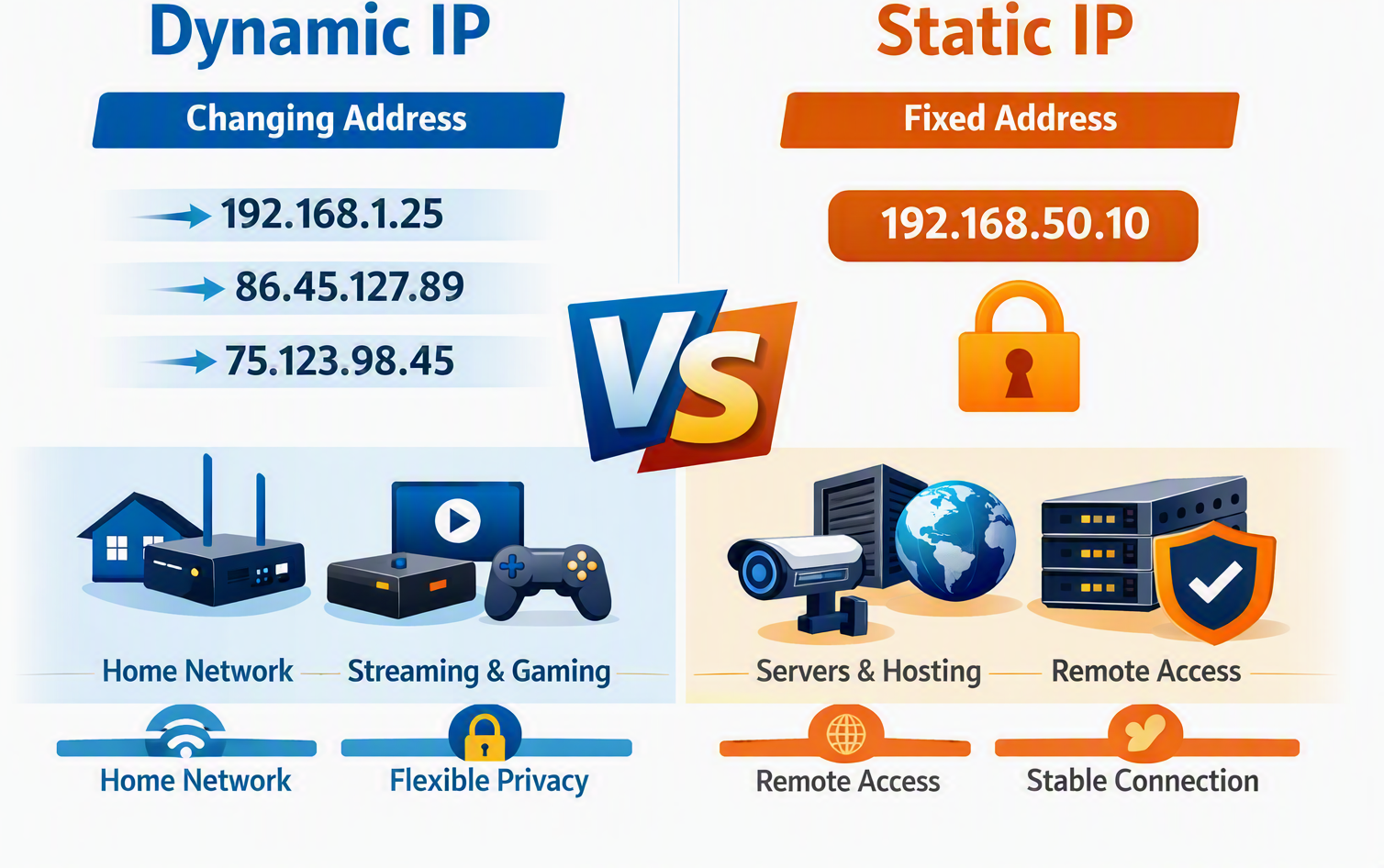
However, not all IP addresses remain the same. Internet Service Providers (ISPs) assign public IP addresses using two different methods: Dynamic IP addresses (which change periodically) and Static IP addresses (which remain permanently assigned to your connection).
Whether you are browsing the web, gaming online, setting up home automation, or hosting a remote server, understanding the differences between dynamic and static IP addresses will help you optimize your connectivity, security, and privacy.
🔎 Quick Check: What Is Your Current IP Address?
Find out your current public IP address, ISP provider, country, and network location in real time with our instant lookup tool.
Check My IP Location →What Is a Dynamic IP Address?
A Dynamic IP address is a temporary address assigned to your connection by your ISP's DHCP (Dynamic Host Configuration Protocol) server. Most residential internet connections use dynamic IP addresses by default.
With a dynamic IP address:
- Your IP address automatically changes periodically (every few days, weeks, or whenever your router reboots).
- Your ISP manages a shared pool of IP addresses and assigns them dynamically to active subscribers.
- You do not need to configure complex network settings—your router handles the assignment automatically.
ISPs favor dynamic IP addresses because IPv4 addresses are scarce and expensive. By cycling IP addresses among residential users who turn off routers or disconnect devices, ISPs make efficient use of their available address blocks.
What Is a Static IP Address?
A Static IP address (also called a fixed IP address) is a permanent IP address manually assigned to a specific device or line by an ISP or network administrator. Once assigned, a static IP address never changes unless explicitly altered by the provider.
Static IP addresses are typically used for:
- Hosting web servers, mail servers, or FTP servers on a fixed address.
- Remote desktop access (RDP / SSH) without needing dynamic DNS services.
- Corporate VPN firewalls that whitelist specific trusted IP addresses.
- Security camera feeds, smart home hubs, and IoT devices requiring fixed routing.
Because static IP addresses require manual allocation and dedicated reservation, ISPs usually charge an extra monthly fee for static IP assignments or limit them to business accounts.
Dynamic vs Static IP: 5 Key Comparisons
1. Cost and Setup Complexity
Dynamic IP: Free and included with almost all standard residential internet plans. It requires zero configuration from the user—plug in your modem or router, and DHCP assigns an address automatically.
Static IP: Requires an explicit request to your ISP, often incurs a monthly service fee, and may require manual TCP/IP configuration on your router or gateway appliance.
2. Privacy and Online Tracking
Dynamic IP: Provides a minor privacy advantage for casual browsing. Because your public IP rotates periodically, websites and advertising networks cannot rely solely on an IP address to track your activity across months or years.
However, a dynamic IP does not make you anonymous. Your ISP maintains internal logs connecting your subscriber identity to the dynamic IP assigned at any specific timestamp. Furthermore, websites track users using browser cookies, device fingerprinting, and account logins regardless of IP changes.
🛡️ Real Privacy vs IP Rotation
Rotating dynamic IPs offers mild protection against basic IP tracking, but it does not encrypt your connection or hide your real location from websites or your ISP. A dedicated privacy VPN encrypts your traffic and shields your original IP address entirely.
Learn How a VPN Protects Your IP →3. Cybersecurity and Attack Exposure
Static IP: Because a static IP address never changes, it becomes a fixed target for automated port scanners, botnets, and brute-force login attempts. If an attacker discovers an open port or vulnerable service on a static IP address, they can return to probe that same IP indefinitely.
Dynamic IP: When a dynamic IP address changes, active automated scans aimed at your old address will hit another subscriber instead. While dynamic IPs are still scanned continuously while active, their rotating nature offers a slight reduction in long-term targeted reconnaissance.
🧹 Reduce Your Digital Footprint
Exposing fixed static IPs or home connections can link your network to public data broker databases. Discover how data removal services help erase personal records from people-search sites.
Remove Your Personal Data Online →4. Remote Access and Hosting
Static IP: Ideal for self-hosting websites, VPN endpoints, or remote access servers. Remote clients and DNS records can point directly to a single, unchanging IP address without connection breaks.
Dynamic IP: Hosting a server on a dynamic IP is challenging because the IP address can change unexpectedly. To bypass this limitation, users must set up Dynamic DNS (DDNS) services (such as DuckDNS or No-IP) that update your domain name whenever your ISP assigns a new IP address.
📁 Avoid Risky Self-Hosting: Encrypted Cloud Storage
Requesting a static IP to run a home NAS or FTP file server exposes your local hard drives to 24/7 internet scans. Using zero-knowledge client-side encrypted cloud storage keeps your files secure without opening router ports or paying for static IPs.
Protect Your Files with Encrypted Storage →5. Connection Stability
Dynamic IP: When an ISP DHCP lease expires or reassigns an IP, your connection may experience a brief momentary drop. While usually unnoticeable during web browsing, it can interrupt ongoing file uploads, active VoIP calls, or SSH terminal sessions.
Static IP: Provides maximum network stability. Because the IP configuration never changes, devices maintain persistent connections without lease renegotiation disconnects.
Side-by-Side Comparison Table
| Feature | Dynamic IP | Static IP |
|---|---|---|
| IP Allocation | Automatic via DHCP pool | Permanent manual assignment |
| Cost | Free (included by default) | Additional monthly ISP fee |
| Address Changes | Changes periodically or after reboot | Never changes |
| Server Hosting | Requires Dynamic DNS (DDNS) | Direct DNS binding (seamless) |
| Privacy Impact | Slight tracking mitigation | Constant IP tracking vector |
| Security Risk | Scanned periodically | Persistent fixed target for attacks |
| Best For | Home users, streaming, browsing | Businesses, web servers, VPN hubs |
Which One Do You Need?
Choose a Dynamic IP if:
- You use the internet primarily for browsing, streaming video, gaming, or general household use.
- You want a simple setup with no extra monthly charges on your internet bill.
- You value basic privacy against long-term static IP tracking.
Choose a Static IP if:
- You operate dedicated web servers, email servers, or VPN servers at home or in an office.
- You require IP whitelisting for remote server management or financial databases.
- You need uninterrupted remote desktop connections without configuring DDNS clients.
Frequently Asked Questions
Does a dynamic IP make me anonymous online?
No. A dynamic IP address only rotates your public IP address periodically. Your ISP still logs which subscriber was using that IP at any specific time, and websites can still track your browser using cookies, local storage, and digital fingerprinting.
Can I get a static IP for free?
Residential ISPs rarely provide free static public IP addresses. However, you can achieve a similar result for remote hosting by using free Dynamic DNS (DDNS) services or mesh networks like Tailscale and Cloudflare Tunnels.
Is a static IP faster than a dynamic IP?
No. Both static and dynamic IP addresses offer the exact same bandwidth, latency, and download speeds. Speed is determined by your ISP plan and network hardware, not by your IP allocation method.
How can I tell if my IP is static or dynamic?
Check your public IP address on MyIP.casa, note the number, and then restart your router. If the IP address changes after restarting, you have a dynamic IP. If it remains identical, you likely have a static IP or a long DHCP lease.
Conclusion
Both dynamic and static IP addresses serve clear roles in modern networking. Dynamic IPs offer cost efficiency, automated setup, and standard privacy for residential users, while static IPs provide the stability and predictability needed for business servers and dedicated remote access.
If you don't run public servers, a standard dynamic IP paired with a privacy-focused VPN and zero-trust remote access tools gives you the best combination of security, privacy, and performance.