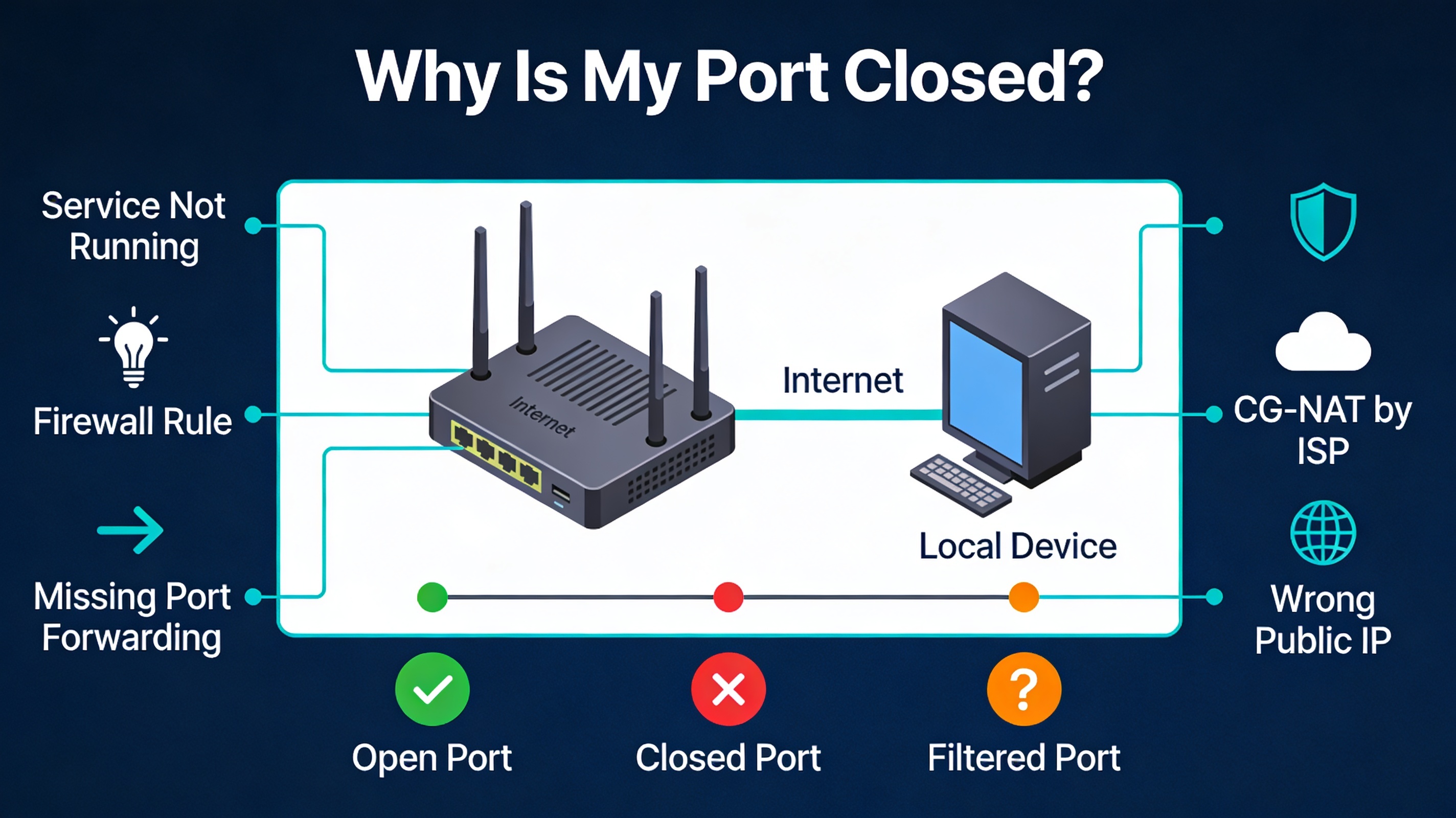
Why Your Port Appears Closed
If you are testing a port and it shows as closed, it generally means that the remote host is reachable but no service is accepting connections on that port. This is a common issue when setting up servers, games, remote access, or self-hosted applications.
A closed port does not necessarily mean that your firewall is blocking it. The service may simply not be running, the port forwarding may be incorrect, or your ISP may prevent inbound connections.
The important thing to understand is that a “closed port” is not a single problem; it is a symptom. Several different layers of your network can block access.
Why Does a Port Checker Say My Port Is Closed?
If an online port checker reports that your port is closed, it does not necessarily mean that your router or firewall is blocking the connection.
A port can appear closed simply because no service is listening on that port. For example, if you check port 443 but your web server is not running, an external port checker may report the port as closed.
For a port to appear open from the internet, several things must work together:
- A service must be listening on the port.
- The local firewall must allow the connection.
- Your router must forward the port to the correct device.
- Your ISP must allow inbound connections.
- You must test the correct public IP address.
If your port checker reports that all ports are closed, start by checking whether the expected service is actually running and listening on the port.
1. No Service Is Listening on the Port
This is the most common reason. A port can only be open if a service is actively listening on it.
For example:
- No web server running → port 80/443 closed
- No SSH server → port 22 closed
Always verify that your application or server is running and bound to the correct port.
2. Firewall Blocking the Port
Your system firewall may block incoming connections even if a service is running.
Common cases:
- Windows Defender Firewall blocking inbound traffic
- Linux firewall (UFW, iptables) denying access
- Cloud firewall rules not configured
Make sure you explicitly allow inbound traffic on the port.
3. Router Port Forwarding Not Configured
If you are behind a router, external traffic does not automatically reach your device. You must configure port forwarding.
This maps:
- Public IP + port → your local IP + port
If this is not set correctly, your port will appear closed from outside.
Read also: Port Forwarding Explained
4. ISP Blocking or CG-NAT
Some internet providers use CG-NAT (Carrier-Grade NAT), which prevents you from receiving unsolicited incoming connections directly from the internet.
When you are behind CG-NAT, port forwarding on your own router usually cannot make a port publicly reachable.
Symptoms:
- You cannot open any port
- Port forwarding has no effect
Solutions include requesting a public IP or using a VPN with port forwarding.
5. Wrong IP Address or Network
Sometimes the issue is simply using the wrong IP address when testing.
- Testing local IP instead of public IP
- Using outdated DNS records
Always test using your public IP.
6. Double NAT (Advanced Case)
If you have both a modem and a router, you may be behind two layers of NAT. In this case, port forwarding must be configured on both devices.
This is a common but often overlooked issue.
7. Cloud Provider Restrictions
If you are running a server in the cloud, your provider may block ports by default.
Examples:
- Security groups (AWS)
- Network security rules (Azure)
- Firewall rules (GCP)
You must explicitly allow the port at the infrastructure level.
Open vs Closed vs Filtered Ports
- Open: a service is accepting connections
- Closed: the host is reachable, but no service is accepting connections
- Filtered: a firewall or network device prevents the scanner from determining the port state
Understanding this difference is key when troubleshooting.
How to Fix a Closed Port (Checklist)
- Verify that a service is listening on the port
- Check the local firewall rules
- Configure router port forwarding if necessary
- Verify that you are using the correct public IP address
- Check whether your ISP uses CG-NAT or blocks inbound connections
- Check for double NAT
- Test the port again from an external network
Test Again After Fixing
Once you apply changes, test your port again from an external network to confirm it is reachable.
FAQ
Why is my port still closed after port forwarding?
If your port is still closed after configuring port forwarding, check these common causes:
- The port forwarding rule points to the wrong local IP address.
- No application is listening on the forwarded port.
- The device firewall is blocking incoming connections.
- You are behind CG-NAT or another layer of NAT.
- You are testing the wrong public IP address.
- The router requires a reboot or the configuration was not saved.
Can a port be open locally but closed externally?
Yes. This happens when firewall or router settings block external access.
What is the fastest way to check a port?
An online port checker is one of the quickest ways to check a port because it tests whether the port is reachable from outside your network.
How Can I Tell Why a Port Is Closed on Windows 11?
On Windows 11, first check whether a service is listening on the port. You can use PowerShell to check active TCP listeners:
Get-NetTCPConnection -State ListenYou should also check Windows Defender Firewall rules and confirm that the application is allowed to accept inbound connections.
Why Is Port 443 Closed?
Port 443 is normally used for HTTPS. It will only appear open if an HTTPS service is actually listening on port 443 and incoming traffic can reach it through your firewall and network configuration.
If a port checker reports port 443 as closed, verify that your web server is running, listening on port 443, and that your router or firewall allows HTTPS traffic.