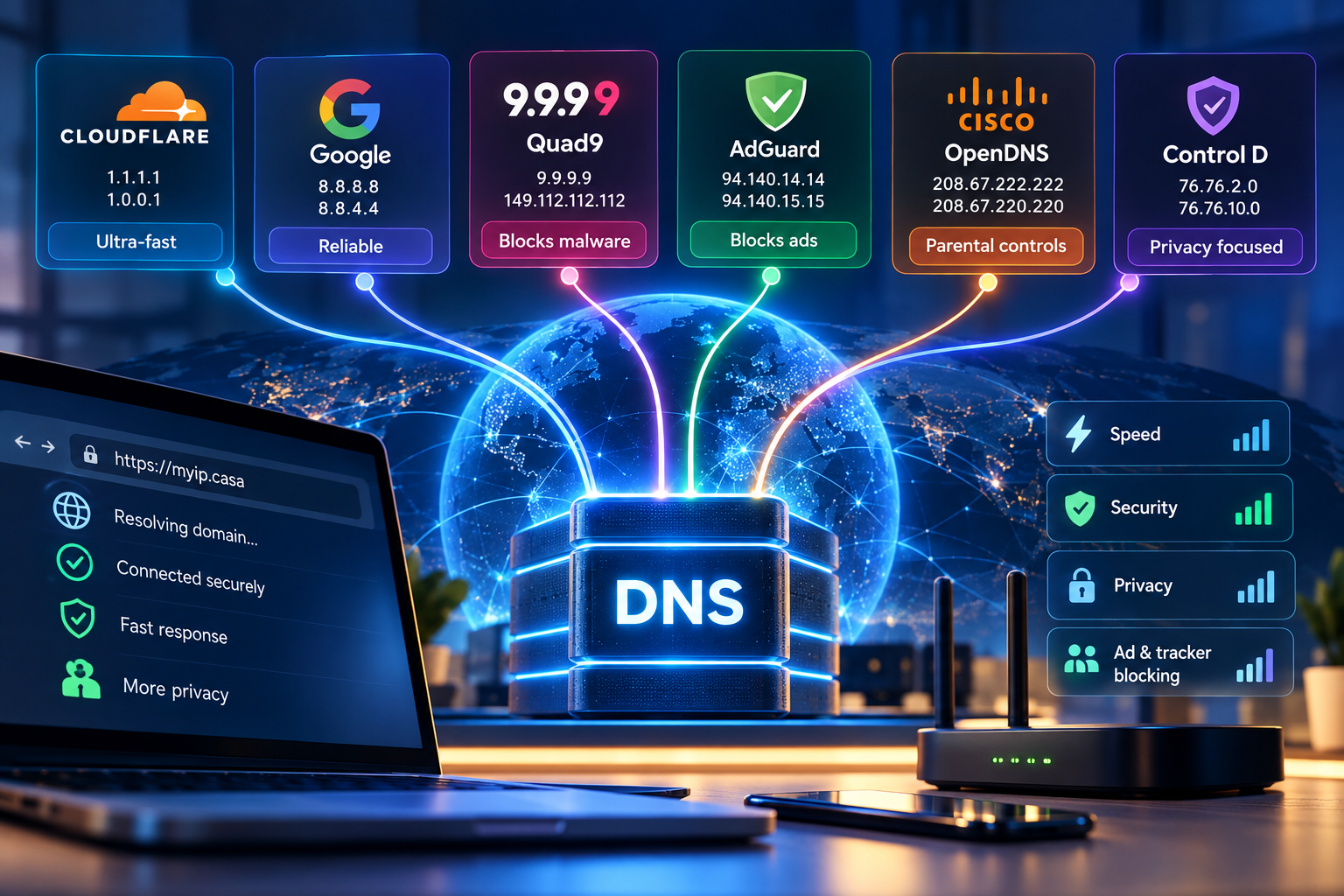
Every single connection your device establishes on the internet begins with a Domain Name System (DNS) resolution query. Whether you are typing a web address into your browser, opening an instant messaging app, launching a multiplayer video game, or downloading an OS security patch, your system must translate that domain into a routable IP address before the first packet leaves your network adapter.
By default, almost every home router, mobile phone, and laptop uses the recursive DNS servers automatically pushed by your Internet Service Provider (ISP) via DHCP. For most users, this default connection is slow, unencrypted, and aggressively harvested for behavioral advertising. In many countries, ISP resolvers also act as censorship choke points, silently redirecting or refusing to resolve domains by government mandate.
Switching to a modern, independent public DNS resolver is one of the quickest and most effective improvements you can make to your daily network security and browsing experience. But which public DNS provider should you trust with your daily traffic?
In this guide, we break down the leading public DNS providers of 2026. Rather than surface-level marketing claims, we provide an objective, technical evaluation of lookup latencies, threat mitigation capabilities, no-log privacy audits, IPv4/IPv6 support, encrypted DNS transport protocols, and the fundamental limitations of DNS-level protection.
🔍 Live Resolver Check: What DNS Are You Using Right Now?
Before testing alternative resolvers, discover which DNS servers your current device and router are querying in real time, and detect whether your queries are exposed to eavesdropping:
Run Instant DNS Leak Test →1. Comparison Table: The Best Public DNS Resolvers at a Glance
Here is an architectural comparison of the top free public DNS resolvers available worldwide in 2026, comparing their IPv4/IPv6 addresses, primary strengths, logging profiles, and filtering capabilities:
| DNS Provider | Primary / Secondary IPv4 | Primary / Secondary IPv6 | Privacy & Logging | Speed (Latency) | Best For |
|---|---|---|---|---|---|
| Cloudflare (1.1.1.1) | 1.1.1.11.0.0.1 |
2606:4700:4700::11112606:4700:4700::1001 |
Strict privacy; logs wiped within 24h; audited by KPMG | ⚡ Ultra-fast (~12–14 ms global avg) | General use, gaming, lowest raw latency |
| Quad9 | 9.9.9.9149.112.112.112 |
2620:fe::fe2620:fe::9 |
Swiss GDPR jurisdiction; zero personal data logging | ⚡ Very fast (~16–22 ms global avg) | Malware, phishing & ransomware blocking |
| Google Public DNS | 8.8.8.88.8.4.4 |
2001:4860:4860::88882001:4860:4860::8844 |
Temporary operational logs (24–48h); no ad correlation | ⚡ Extremely fast (~14–18 ms global avg) | Reliability, uptime, robust Anycast resilience |
| AdGuard DNS | 94.140.14.1494.140.15.15 |
2a10:50c0::ad1:ff2a10:50c0::ad2:ff |
Privacy-focused; no personal tracking data stored | Fast (~22–30 ms) | Ad, tracker & telemetry blocking across all devices |
| Cisco OpenDNS | 208.67.222.222208.67.220.220 |
2620:119:35::352620:119:53::53 |
Enterprise logging; subject to US corporate policies | Fast (~18–24 ms) | Customizable web filtering & parental controls |
| Control D (Free) | 76.76.2.076.76.10.0 |
2606:1a40::2606:1a40:1:: |
Strict no-log policy; developed by Windscribe team | Fast (~20–28 ms) | Flexible configurations (Unfiltered, Malware, Family) |
2. What Is a Public DNS Server?
A public DNS server is a publicly accessible recursive resolver operated by an independent organization, cloud infrastructure provider, or cybersecurity foundation. Unlike the private resolvers operated by your local ISP, public DNS resolvers are open to any connected device worldwide without requiring a local subscription.
When you enter a human-readable hostname like myip.casa, your operating system dispatches a query over the network to determine the exact numerical IP address hosting that service. The recursive DNS resolver carries out the heavy lifting: contacting root nameservers, Top-Level Domain (TLD) nameservers, and authoritative nameservers before returning the final record (such as an A record for IPv4 or an AAAA record for IPv6) back to your device.
Public DNS providers utilize BGP Anycast routing. In an Anycast configuration, identical IP addresses (such as 1.1.1.1 or 8.8.8.8) are broadcast simultaneously from hundreds of data centers globally. When your router or phone dispatches a DNS packet, internet routing tables automatically direct that packet to the geographically or topologically closest edge server, minimizing packet transit time.
3. Why Use an Alternative Public DNS Instead of Your ISP?
Most internet subscribers never change their network settings, assuming their internet provider provides optimal service. In practice, default ISP DNS servers are routinely plagued by four distinct liabilities:
- 1. ISP Metadata Harvesting & Profiling: Even when you connect to HTTPS-encrypted websites, traditional DNS lookups disclose every domain you request. In jurisdictions without strict data protection laws (such as the US, where broadband privacy rules were repealed), ISPs are legally permitted to monetize your browsing metadata, selling aggregated behavioral insights to third-party ad brokers.
- 2. High Latency and Frequent Resolver Timeouts: Telecom providers build regional DNS caches designed to minimize operational overhead rather than maximize peak speed. During peak traffic hours, ISP resolvers experience cache misses and congestion, resulting in noticeable 100–300 ms delays before websites begin rendering.
- 3. DNS-Level Censorship and NXDOMAIN Hijacking: ISPs frequently block legitimate domains to comply with overreaching copyright injunctions or state censorship decrees. Furthermore, many telecom operators practice NXDOMAIN redirection: instead of returning a standard "domain not found" code when you mistype an address, they redirect your browser to a carrier-branded portal filled with advertisements.
- 4. Zero Inherent Malware Mitigation: ISP resolvers typically resolve everything requested, including freshly registered phishing domains, command-and-control (C2) botnet endpoints, and crypto-jacking hosts.
4. In-Depth Provider Breakdown: Strengths and Trade-Offs
Cloudflare (1.1.1.1): The Undisputed Latency Champion
Launched in partnership with APNIC, Cloudflare's 1.1.1.1 resolver is engineered from the ground up for minimal latency. Operating on Cloudflare's vast Anycast network spanning over 330 cities across 120 countries, it answers cached queries in under 5 milliseconds in major metropolitan areas.
Privacy Architecture: Cloudflare commits to never writing client IP addresses to disk. All operational debug logs are retained for a maximum of 24 hours before permanent purging. The service has undergone independent third-party privacy audits conducted by KPMG.
Specialized Profiles (1.1.1.1 for Families):
- Standard (Unfiltered):
1.1.1.1and1.0.0.1(IPv6:2606:4700:4700::1111/2606:4700:4700::1001) - Malware Blocking:
1.1.1.2and1.0.0.2(IPv6:2606:4700:4700::1112/2606:4700:4700::1002) - Malware + Adult Content:
1.1.1.3and1.0.0.3(IPv6:2606:4700:4700::1113/2606:4700:4700::1003)
Quad9 (9.9.9.9): Maximum Security and Non-Profit Integrity
Quad9 is a non-profit foundation based in Zurich, Switzerland, governed strictly by Swiss privacy laws and the European General Data Protection Regulation (GDPR). Quad9 differentiates itself through proactive, threat-intelligence-driven malware blocking.
Threat Intelligence Feeds: Quad9 ingests real-time threat intelligence from more than 30 independent cybersecurity research institutions, CERT teams, and security vendors. When your computer attempts to resolve a domain linked to active malware distribution, phishing, or ransomware infrastructure, Quad9 returns an NXDOMAIN response, preventing the connection before payload execution.
Privacy Guarantee: Quad9 does not collect, log, or correlate your personal data or source IP address with lookup requests. Because it is incorporated in Switzerland, it operates beyond the reach of Five Eyes surveillance jurisdictions.
- Secure (Malware Blocking + DNSSEC):
9.9.9.9and149.112.112.112(IPv6:2620:fe::fe/2620:fe::9) - Unsecured (Unfiltered for testing):
9.9.9.10and149.112.112.10(IPv6:2620:fe::10/2620:fe::fe:10)
Google Public DNS (8.8.8.8): High Resilience and Global Scale
Operating continuously since 2009, Google Public DNS (8.8.8.8 and 8.8.4.4) represents the largest public resolver deployment on earth. It is virtually immune to DDoS attacks and maintains an uptime track record exceeding 99.99%.
EDNS Client Subnet (ECS) Support: Google Public DNS supports EDNS Client Subnet (ECS), which sends a truncated portion of your client subnet to authoritative nameservers. This allows content delivery networks (CDNs) like Akamai or Fastly to route your video streams to the server node nearest to your physical location. However, sending client subnet bits represents a slight privacy trade-off compared to non-ECS resolvers like Cloudflare or Quad9.
Logging Policy: Google retains temporary operational logs containing your IP address for 24 to 48 hours for troubleshooting and anomaly detection. Google's published policy confirms that DNS resolution data is never correlated with individual Google user accounts or advertising profiles.
AdGuard DNS: Network-Wide Ad and Telemetry Blocking
AdGuard DNS is designed specifically for users who want to eliminate intrusive display advertisements, telemetry trackers, and in-app trackers without installing third-party browser extensions or mobile software on every device.
When an application or IoT smart television queries an ad delivery network (such as DoubleClick or telemetry endpoints), AdGuard DNS sinks the request by returning a null IP (0.0.0.0). This blocks tracking at the socket level across mobile games, streaming devices, and smart home appliances.
- Default (Ad & Tracker Blocking):
94.140.14.14and94.140.15.15(IPv6:2a10:50c0::ad1:ff/2a10:50c0::ad2:ff) - Non-filtering:
94.140.14.140and94.140.14.141(IPv6:2a10:50c0::ad1:140/2a10:50c0::ad2:140) - Family Protection:
94.140.14.15and94.140.15.16(IPv6:2a10:50c0::ad1:15/2a10:50c0::ad2:15)
Cisco OpenDNS: Granular Content Filtering & Corporate Controls
Acquired by Cisco in 2015, OpenDNS is one of the oldest public resolvers in existence. Through its free Home dashboard, users who create an account can configure custom filtering profiles across dozens of content categories (social networks, adult material, video streaming, gambling), making it popular for home networks with young children.
- Home Standard:
208.67.222.222and208.67.220.220(IPv6:2620:119:35::35/2620:119:53::53) - FamilyShield (Pre-configured adult block):
208.67.222.123and208.67.220.123
5. Public DNS vs. VPN: Clearing the Confusion
A frequent misconception among internet users is assuming that configuring a secure or private public DNS resolver acts as an alternative to a Virtual Private Network (VPN). In reality, DNS resolvers and VPNs operate at fundamentally different architectural layers.
| Technical Feature | Public DNS Resolver | Virtual Private Network (VPN) |
|---|---|---|
| What It Handles | Domain name to IP address translation only | Entire network data transmission (all TCP/UDP packets) |
| Hides Your Public IP? | ❌ No. Destination websites still see your genuine ISP public IP | ✅ Yes. Masked completely behind the VPN exit server IP |
| Hides Traffic from ISP? | ❌ No. With DoH/DoT, your ISP cannot see DNS queries, but still sees destination IPs and SNI metadata | ✅ Yes. All packets are encapsulated in an encrypted tunnel |
| Impact on Raw Bandwidth | Zero impact on download/upload bandwidth | Slight latency/bandwidth overhead due to cryptographic encapsulation |
| Bypasses Geo-Restrictions? | ❌ No. Streaming platforms geolocate your external IP address | ✅ Yes. Reroutes traffic through servers in desired regions |
A public DNS protects your address lookups, whereas a VPN shields your entire data pipeline. If your primary objective is preventing your internet provider, local network administrators, or public Wi-Fi snoops from monitoring your destination traffic and physical location, a verified no-logs VPN remains indispensable.
🛡️ Need Complete Network Anonymity?
While changing your DNS server optimizes resolution speed and domain-level filtering, it does not encrypt your web payload or mask your public IP address. To safeguard your complete internet footprint against ISP tracking and public Wi-Fi sniffing, review our dedicated privacy analysis:
Why Use a VPN: Comprehensive Privacy Guide →6. Privacy and Security: The Role of DoH and DoT
Changing your DNS server to 1.1.1.1 or 9.9.9.9 on legacy routers still dispatches queries via standard UDP or TCP port 53 in unencrypted plaintext. Anyone positioned on the local network path—including Wi-Fi hotspot operators, upstream internet providers, and telecom backbones—can intercept, inspect, or spoof those responses using basic packet sniffing tools.
To eliminate this vulnerability, modern operating systems and public DNS resolvers support cryptographic transport standards:
- DNS over HTTPS (DoH - RFC 8484): Encapsulates DNS queries inside standard TLS-encrypted HTTPS requests using TCP port 443. Because DoH traffic mixes indistinguishably with regular secure web traffic, local firewalls cannot selectively inspect or block DNS queries without breaking HTTPS entirely. Supported natively by Windows 11, macOS, modern browsers (Firefox, Chrome), and iOS.
- DNS over TLS (DoT - RFC 7858): Encloses DNS queries in a dedicated TLS tunnel operating over TCP port 853. DoT operates at the system network stack rather than the application layer. Android uses DoT for its native Private DNS mode.
- DNSSEC (Domain Name System Security Extensions): Authenticates DNS responses using cryptographic digital signatures. While DNSSEC does not provide privacy (queries remain visible if unencrypted), it guarantees that the IP address returned has not been poisoned or altered en route by an attacker.
7. Understanding IPv4 vs. IPv6 in DNS Resolution
Modern public DNS providers supply both 32-bit IPv4 addresses (like 1.1.1.1) and 128-bit IPv6 addresses (like 2606:4700:4700::1111). An important point of technical clarity is the distinction between the transport address of the resolver and the record type being resolved:
- An IPv4-only device querying
1.1.1.1can effortlessly resolve both IPv4 endpoints (A records) and IPv6 endpoints (AAAA records). - An IPv6-native device querying
2606:4700:4700::1111can likewise resolve both A and AAAA records.
However, if your ISP has assigned an active dual-stack IPv6 prefix to your home router, configuring only IPv4 DNS servers on your operating system can lead to IPv6 DNS Leaks. If your system receives an IPv6 DNS address from your router via Stateless Address Autoconfiguration (SLAAC) or DHCPv6, your computer may route queries through your ISP's IPv6 resolver rather than your chosen public IPv4 resolver. To prevent this, always input both the primary/secondary IPv4 and IPv6 addresses when modifying network adapter settings.
8. How to Change Your DNS Server: Quick Reference
Configuring a new public DNS server takes less than two minutes. Depending on your platform, here is how to apply your chosen resolver:
On Windows 11
- Open Settings (Win + I) → Network & internet.
- Click on your active connection (Wi-Fi or Ethernet).
- Locate DNS server assignment and click Edit.
- Switch the dropdown from Automatic (DHCP) to Manual.
- Toggle IPv4 On and enter your Preferred DNS (e.g.,
1.1.1.1) and Alternate DNS (e.g.,1.0.0.1). For encryption, set DNS over HTTPS to On (automatic template). - Toggle IPv6 On and enter the corresponding IPv6 addresses. Click Save.
On macOS (Sonoma, Sequoia & Ventura)
- Open System Settings → Network.
- Select your active adapter (Wi-Fi or Ethernet) and click Details...
- Select the DNS tab in the sidebar.
- Click the + (Plus) icon under the DNS Servers list and add your primary and secondary addresses (e.g.,
9.9.9.9and149.112.112.112). Click OK and Apply.
On Android (System-Wide Private DNS)
- Navigate to Settings → Network & internet (or Connections).
- Tap Private DNS.
- Select Private DNS provider hostname.
- Enter the provider's TLS hostname:
- For Cloudflare:
one.one.one.one - For Quad9:
dns.quad9.net - For AdGuard:
dns.adguard-dns.com
- For Cloudflare:
- Tap Save. All cellular (5G/4G) and Wi-Fi lookups are now encrypted via DoT.
For detailed, device-specific walkthroughs—including home router configurations, Linux NetworkManager commands, and iOS configuration profiles—consult our complete guide on How to Change Your DNS Server Across All Devices.
9. How to Test and Benchmark Your DNS Performance
Once you have configured an alternative public DNS, never take for granted that your system is actively querying it. Operating systems frequently cache previous resolver leases, and certain antivirus suites or routers transparently intercept port 53 packets.
Step 1: Check Active Resolvers via Terminal
On Windows, open PowerShell or Command Prompt and run:
nslookup myip.casaInspect the Server line in the output. It should display your configured public DNS resolver (e.g., one.one.one.one or 1.1.1.1) rather than your local gateway IP (192.168.1.1).
On macOS or Linux, execute dig:
dig myip.casa +stats | grep "SERVER"Step 2: Benchmark Lookup Latency
To identify which public resolver delivers the lowest latency from your specific physical geographic location, download reputable benchmarking tools such as Steve Gibson's DNS Benchmark (Windows) or namebench (cross-platform). These tools run hundreds of queries against dozens of popular Anycast nodes and compare uncached and cached resolution times against your current baseline.
Step 3: Verify DNS Leaks Online
Run our browser-based DNS Leak Test. The test generates unique, randomly generated subdomains and tracks which recursive resolver addresses reach our authoritative nameserver. If the test reveals servers belonging to your ISP rather than Cloudflare, Quad9, or Google, your queries are leaking.
10. The Limitations of Public DNS
While adopting a reputable public DNS resolver is an essential network hygiene step, it is important to acknowledge its technical boundaries:
- No IP Anonymity: Changing your DNS does not change the public IP address exposed to remote web servers. Websites can still pinpoint your city and ISP through our IP Geolocation Checker.
- SNI Leakage: When your browser connects via TLS to an HTTPS server, the Server Name Indication (SNI) field in the TLS handshake often transmits the target domain in plaintext, allowing sophisticated firewalls and ISPs to observe your destination even when DoH or DoT is engaged (until Encrypted Client Hello, or ECH, achieves universal server adoption).
- CDN Geolocation Trade-Offs: If a public resolver strips client subnet data (EDNS Client Subnet) for privacy reasons, content delivery networks may occasionally route your streaming media traffic to a data center slightly further away, resulting in marginally slower initial video buffering.
- Local Network Access: If your workplace or home utilizes a local domain controller (such as
corp.localor a home lab NAS), overriding your router's DNS with an external public resolver will break local hostname resolution unless conditional forwarding is configured.
Frequently Asked Questions
What is the fastest public DNS server?
According to independent worldwide benchmarks on DNSPerf, Cloudflare (1.1.1.1) consistently records the lowest global lookup latency, averaging between 12 and 14 milliseconds. Google Public DNS (8.8.8.8) follows closely, offering exceptional routing resilience across Asia, South America, and Africa.
Does changing my DNS hide what I browse from my ISP?
Not entirely. If you use unencrypted standard DNS (port 53), your ISP logs every domain you look up. If you enable encrypted DNS (DNS over HTTPS or DNS over TLS), your ISP cannot read your DNS requests. However, your ISP can still see the destination IP address of the server you connect to and can inspect the TLS Server Name Indication (SNI) header unless you tunnel your connection through a VPN.
Can a public DNS server block malware and phishing?
Yes, provided you choose a filtering resolver. Quad9 (9.9.9.9) blocks malware, phishing, and ransomware command nodes using aggregated threat intelligence feeds. Cloudflare for Families (1.1.1.2) also blocks malicious domains, while AdGuard DNS blocks both malware and ad-tracking domains.
Will changing my DNS improve my online gaming ping?
DNS only resolves the domain name when your game client initially connects to a lobby or match server. Once connected, active gameplay relies entirely on direct UDP/IP packet transmission. A faster DNS will not reduce your in-game ping, but it will make matchmaking server discovery and patch downloads initiate faster.
What are the primary and secondary DNS addresses?
The primary DNS is your system's default recursive resolver. The secondary (or alternate) DNS acts as a backup failover. If the primary resolver fails to respond within a timeout window, your operating system automatically retries the query using the secondary address.