What Is an ICANN Lookup?
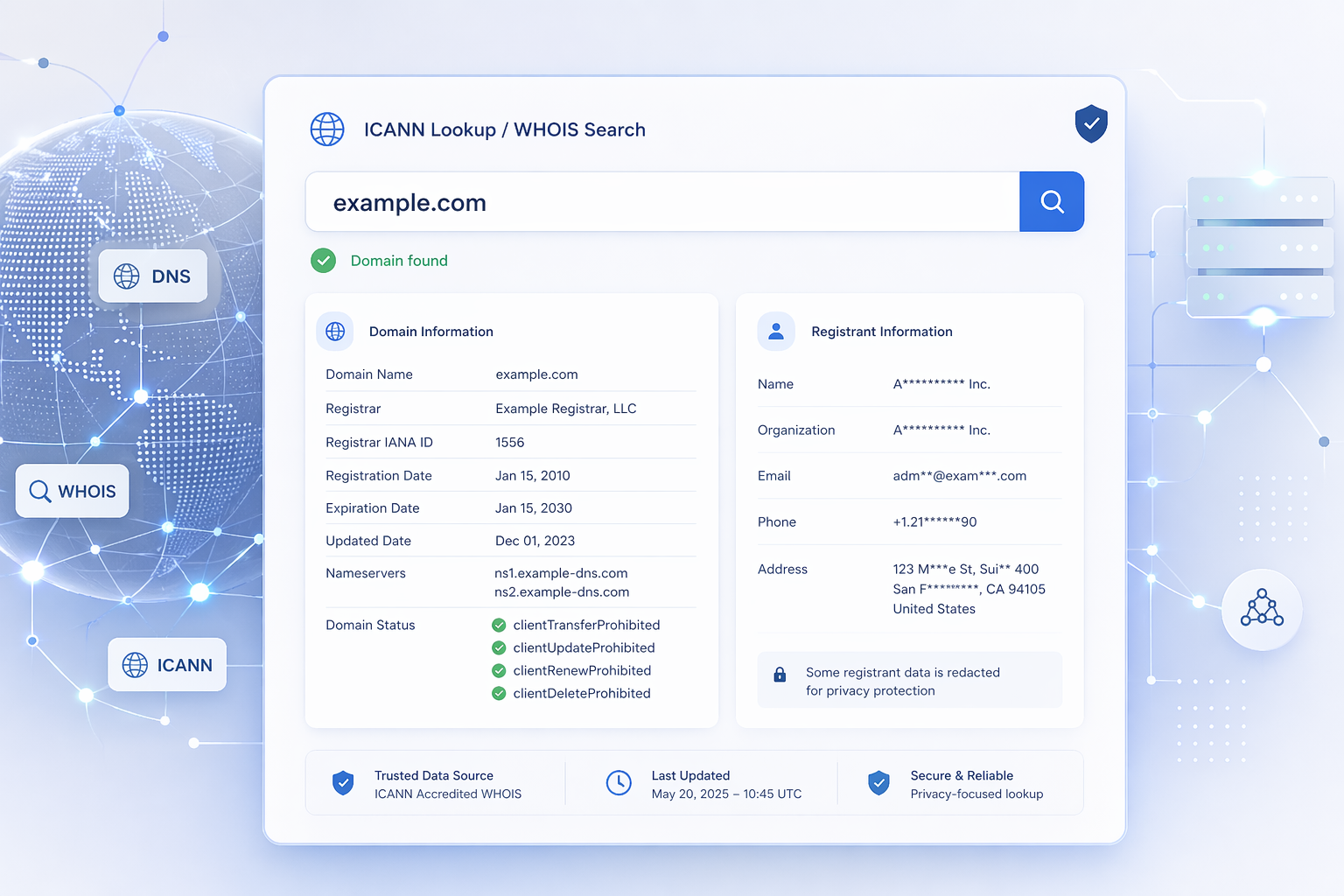
An ICANN lookup allows you to retrieve public information about a domain name using the global WHOIS system. It is commonly used to identify domain ownership, registrar details, registration dates, and DNS configuration.
The ICANN WHOIS database is part of the infrastructure managed by the Internet Corporation for Assigned Names and Numbers, ensuring transparency and accountability across domain registrations.
What Information Does an ICANN WHOIS Lookup Provide?
When you perform an ICANN WHOIS lookup, you typically get:
- Domain registrar (e.g. GoDaddy, Namecheap)
- Registration and expiration dates
- Name servers (DNS)
- Domain status (active, locked, etc.)
- Registrant data (if not privacy protected)
This information is essential for domain management, cybersecurity investigations, and technical troubleshooting.
Run an ICANN Lookup Instantly
You can perform a fast and reliable ICANN lookup tool query using our free service:
Why Use an ICANN Lookup Tool?
1. Verify Domain Ownership
An ICANN WHOIS lookup helps confirm who owns a domain or which registrar manages it. This is useful when buying domains or investigating suspicious websites.
2. Investigate Suspicious Domains
Security teams often use WHOIS lookup tools to analyze domains involved in phishing, fraud, or spam campaigns.
3. Check Domain Expiration
Knowing when a domain expires can help you monitor assets or identify opportunities to acquire expiring domains.
4. Debug DNS Issues
WHOIS data includes nameserver information, which is critical when diagnosing DNS misconfigurations.
ICANN Lookup vs WHOIS Lookup: Is There a Difference?
In practice, the terms ICANN lookup, WHOIS lookup, and even variations like icanlookup or ican lookup all refer to the same process: querying domain registration data.
The difference is mostly semantic:
- ICANN lookup emphasizes the governing authority
- WHOIS lookup refers to the protocol and database
Modern tools combine both into a simple interface.
Limitations of ICANN WHOIS Data
Due to privacy regulations such as GDPR, some WHOIS data is now hidden or anonymized. You may see “redacted” fields instead of full contact details.
This does not mean the lookup failed — it reflects modern privacy standards.
How to Perform an ICANN WHOIS Lookup
Using an ICANN lookup tool is simple:
- Enter a domain name (e.g. example.com)
- Submit the query
- Review domain and registrar data
For best results, use a fast and reliable tool that aggregates WHOIS responses and formats them clearly.
Best Practices for WHOIS Searches
- Check multiple domains for patterns in investigations
- Combine WHOIS with DNS and IP analysis
- Monitor expiration dates for critical assets
- Use APIs for bulk domain analysis
FAQ: ICANN Lookup & WHOIS
What is an ICANN lookup?
An ICANN lookup retrieves domain registration data from the global WHOIS system.
Is ICANN WHOIS free?
Yes, most ICANN WHOIS lookup tools are free to use.
Why is WHOIS information hidden?
Privacy laws like GDPR require registrars to protect personal data.
Can I find the owner of any domain?
Not always. Many domains use privacy protection services.
Run Your ICANN Lookup Now
Instantly access WHOIS data using our free ICANN lookup tool: