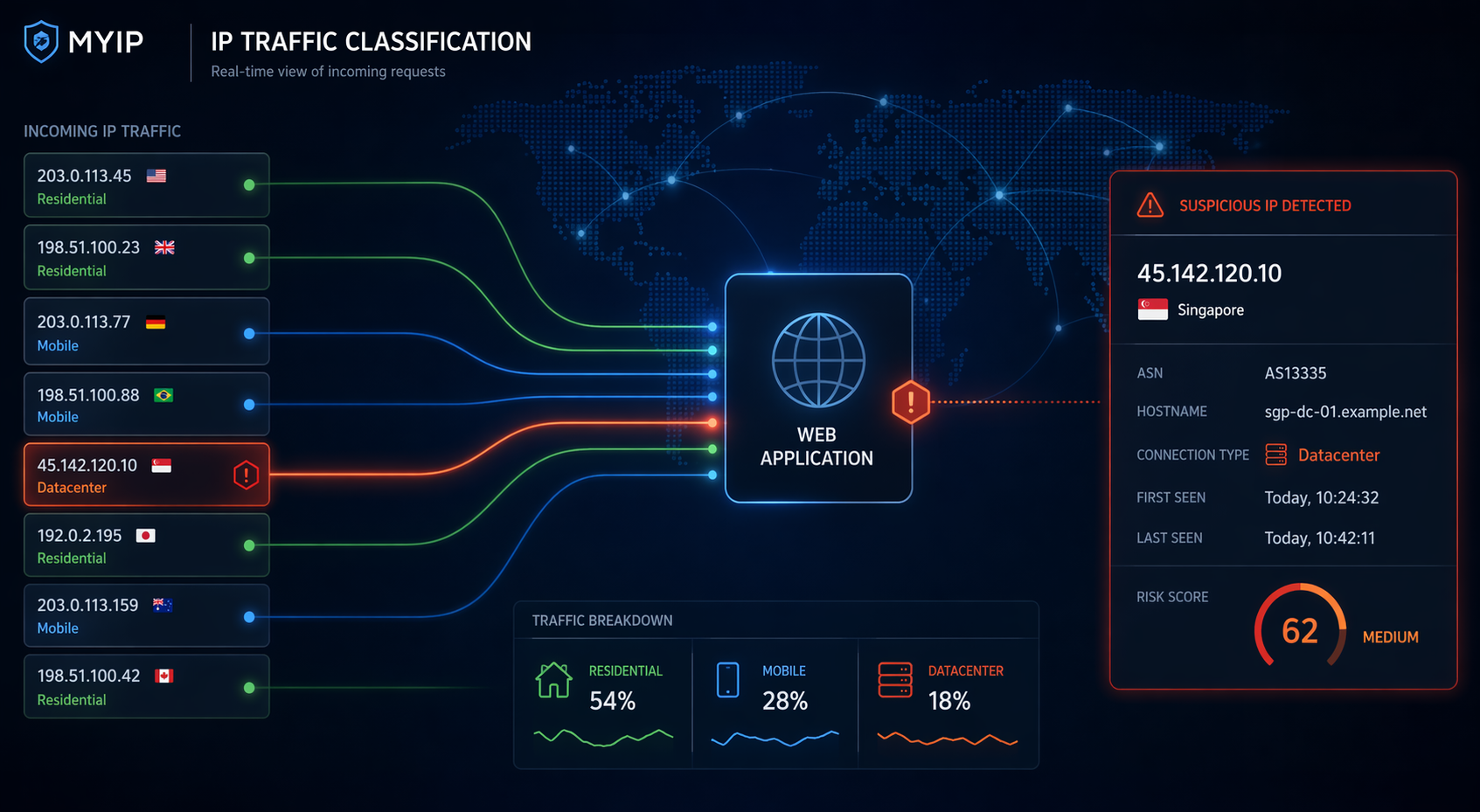
Why Identifying Datacenter IPs Matters
Not all traffic comes from real users on residential or mobile networks. A significant share of automated traffic, scraping activity, fake account creation, credential stuffing, and abusive signups originates from hosting providers and cloud infrastructure.
That is why one of the most useful signals in modern web security is simple: is this IP address coming from a datacenter?
If you can classify an IP as residential, mobile, or datacenter, you immediately gain context. That context helps you decide whether to trust a request, challenge it, rate-limit it, log it more aggressively, or block it entirely.
What Is a Datacenter IP?
A datacenter IP is an IP address allocated to a hosting provider, cloud platform, VPS service, dedicated server, or other non-consumer infrastructure.
Datacenter IPs are not inherently malicious. But attackers love them because they are cheap, scalable, and easy to rotate.
Why Attackers Prefer Datacenter IPs
- Fast deployment via cloud providers
- Easy IP rotation
- Automation-friendly infrastructure
- Scalable attack surfaces
How to Identify Datacenter IPs
1. ASN and Network Ownership
If the ASN belongs to a hosting provider instead of a residential ISP, that’s a strong signal.
2. Network Type Classification
Look beyond geolocation. You need categories like residential, mobile, datacenter, proxy, or VPN.
3. Reverse DNS
Hostnames often reveal cloud providers or server infrastructure.
4. Known Hosting Ranges
Maintaining known datacenter ranges improves detection accuracy.
5. Behavioral Signals
Combine classification with behavior: request rate, automation patterns, login anomalies.
Why Geolocation Alone Is Not Enough
An IP can appear perfectly normal geographically while still being a server.
Common Mistakes
- Blocking all datacenter IPs blindly
- Using static lists only
- Ignoring IPv6
- Relying only on WHOIS
Practical Use Cases
Signup Protection
Use datacenter detection to trigger additional verification.
Login Risk Analysis
Detect unusual login environments.
Bot & Scraper Mitigation
Many bots run from cloud infrastructure.
Ad & Referral Abuse
Reduce fake clicks and reward abuse.
Example: Checking Whether an IP Is a Datacenter IP
In practice, the fastest way to analyze an IP is to use a tool that combines network classification, ASN intelligence, and security signals in one place.
You can use the IP Threat Score tool to instantly determine whether an IP comes from a datacenter, VPN, proxy, Tor exit node, or a normal residential/mobile network.
🔎 Try the IP Threat Score Tool
Analyse any IP address and get instant insights: datacenter detection, ASN, hostname, VPN/proxy flags, geolocation, and a clear threat score.
Check an IP →Datacenter Detection and False Positives
Not all datacenter traffic is malicious. Treat it as a signal, not a verdict.
🛠️ Datacenter IP Detection Checklist
- ✅ ASN lookup
- ✅ Connection type classification
- ✅ Datacenter / VPN / proxy / Tor flags
- ✅ Threat score
- ✅ IPv4 & IPv6 support
- ✅ JSON API integration
"The most important question is not where an IP is, but what it is."
Final Thoughts
Datacenter IP detection is one of the simplest ways to improve security with minimal friction.
If you want a quick way to evaluate traffic quality, combining classification with a threat score gives you immediate, actionable insight.