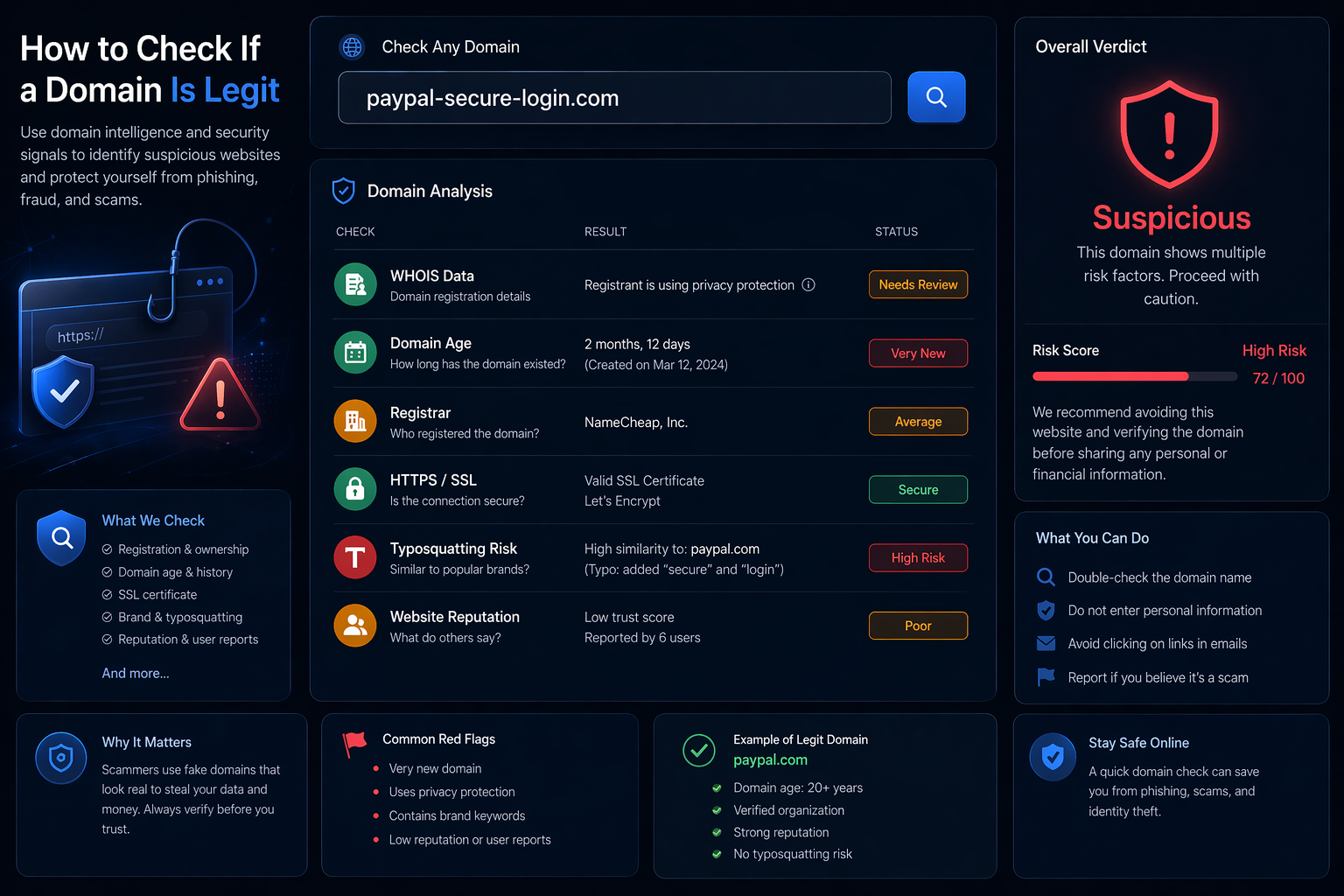
Why Checking Domain Legitimacy Matters
Fake websites, phishing pages, and scam domains are increasingly common. Many of them look legitimate but are designed to steal credentials, payment information, or personal data.
Before trusting a website, it is important to verify whether the domain is legitimate.
1. Check Domain Registration with WHOIS
The first step is to perform a WHOIS lookup. This reveals key information about the domain.
Look for:
- Very recent registration date
- Hidden or anonymized ownership
- Unusual registrar
2. Check Domain Age
New domains are often used for scams. If a domain was registered only days or weeks ago, it deserves extra caution.
3. Analyze Domain Name
Scam domains often mimic real brands using small variations, typos, or extra characters.
- paypal-secure-login.com
- amaz0n-support.net
4. Look for HTTPS and Certificates
HTTPS alone does not guarantee legitimacy, but the absence of HTTPS is a strong warning sign.
5. Check Website Content and Behavior
Suspicious signs include:
- Poor design or grammar
- Urgent or threatening messages
- Requests for sensitive information
6. Combine Multiple Signals
No single indicator is enough. The best approach is to combine WHOIS data, domain age, naming patterns, and behavior analysis.
FAQ
Can a domain look legit but be a scam?
Yes. Many phishing sites imitate trusted brands.
Is a hidden WHOIS always suspicious?
No, but combined with other signals it can be a risk indicator.
Check a Domain Now
7. Check the IP Reputation Behind the Domain
Even if a domain looks legitimate, it may be hosted on suspicious infrastructure such as datacenter IPs, proxies, or VPN networks.
Analyzing the IP behind a domain gives you an additional layer of security insight.
🛡️ Advanced Security Check
Use IP intelligence to detect:
- Datacenter hosting
- VPN or proxy usage
- Risk score and abuse signals
Combining WHOIS data with IP intelligence provides a much more accurate assessment of whether a domain is trustworthy.